Quick Rx
A number pad that stays up while you type. 225 becomes −2.25. The sign flips with one tap.
 FM Optical
Version 3.1 · Free
Eyewear fitting sheets for the optical shop
ODOS Records, also called ODOS Record, is the fitting sheet for opticians and optical shops. On iPhone and iPad you write the customer, the frame, the lenses, and the prescription, then search, print, or share the sheet with your own shop header.
The sheet
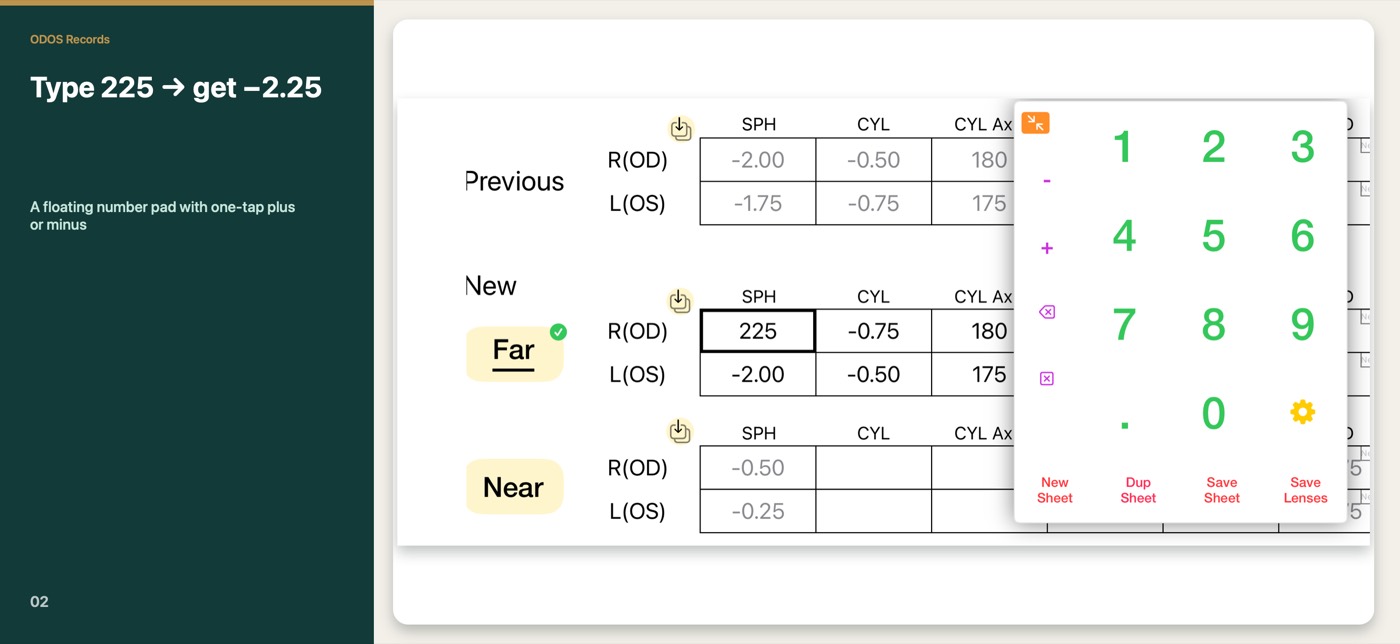
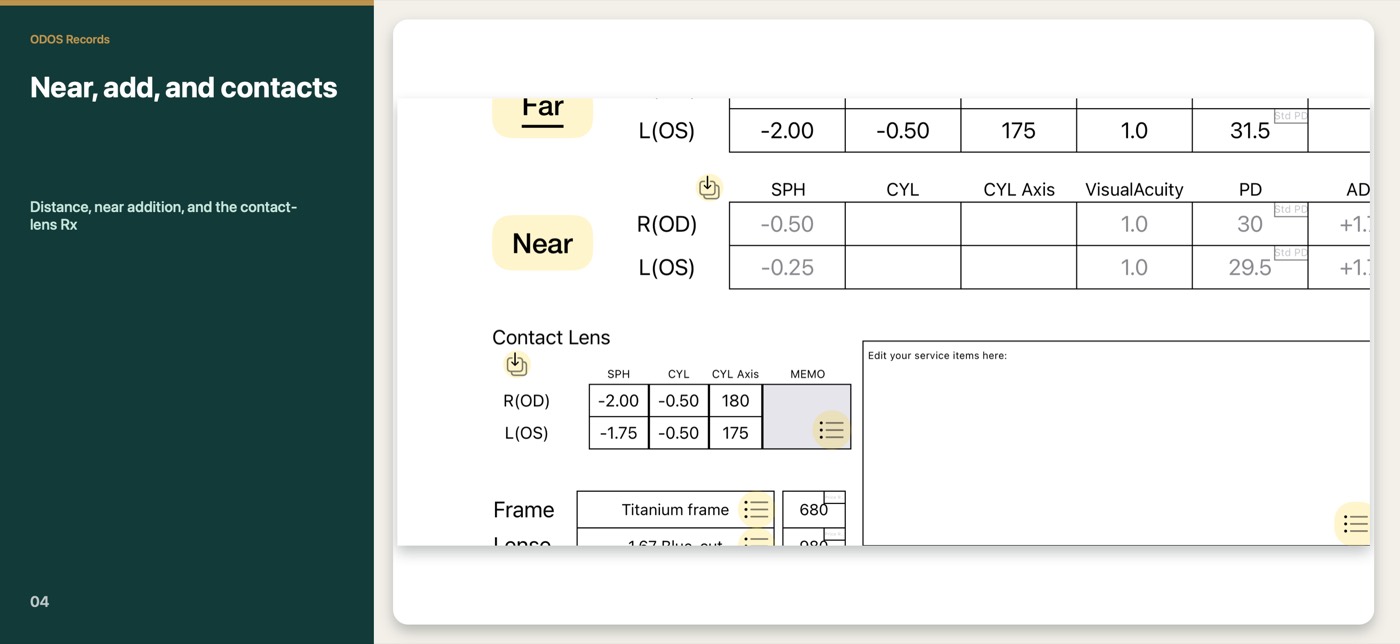
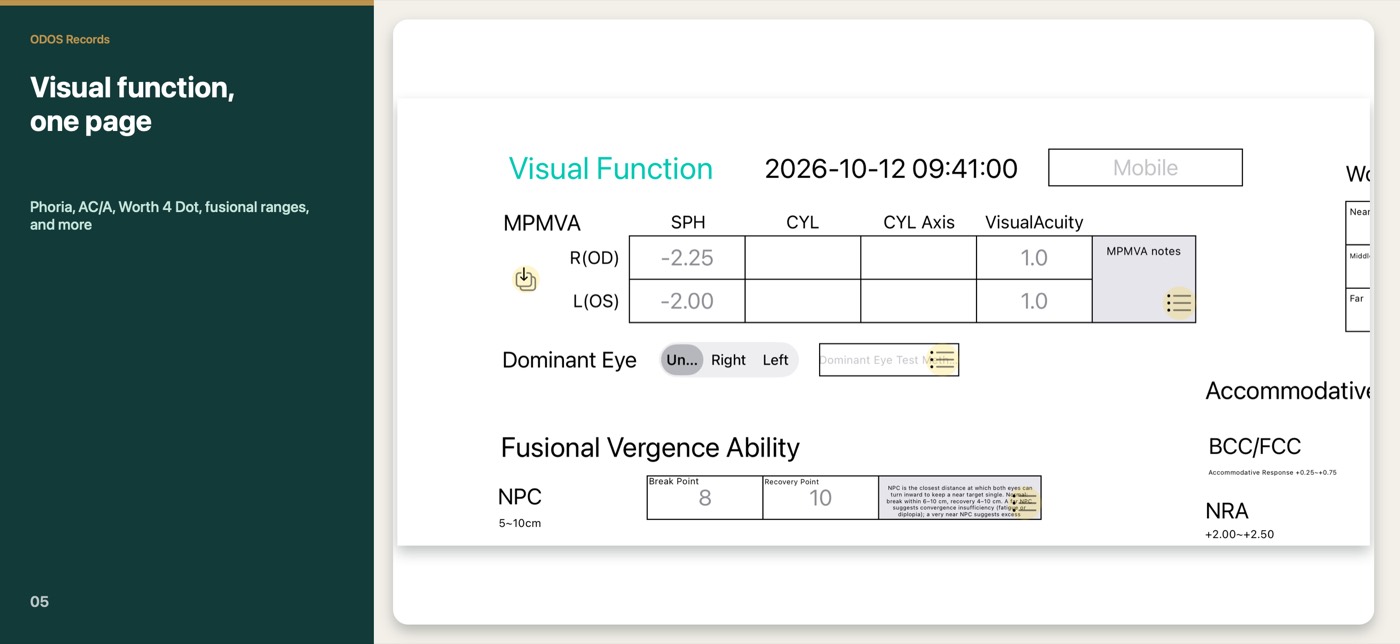
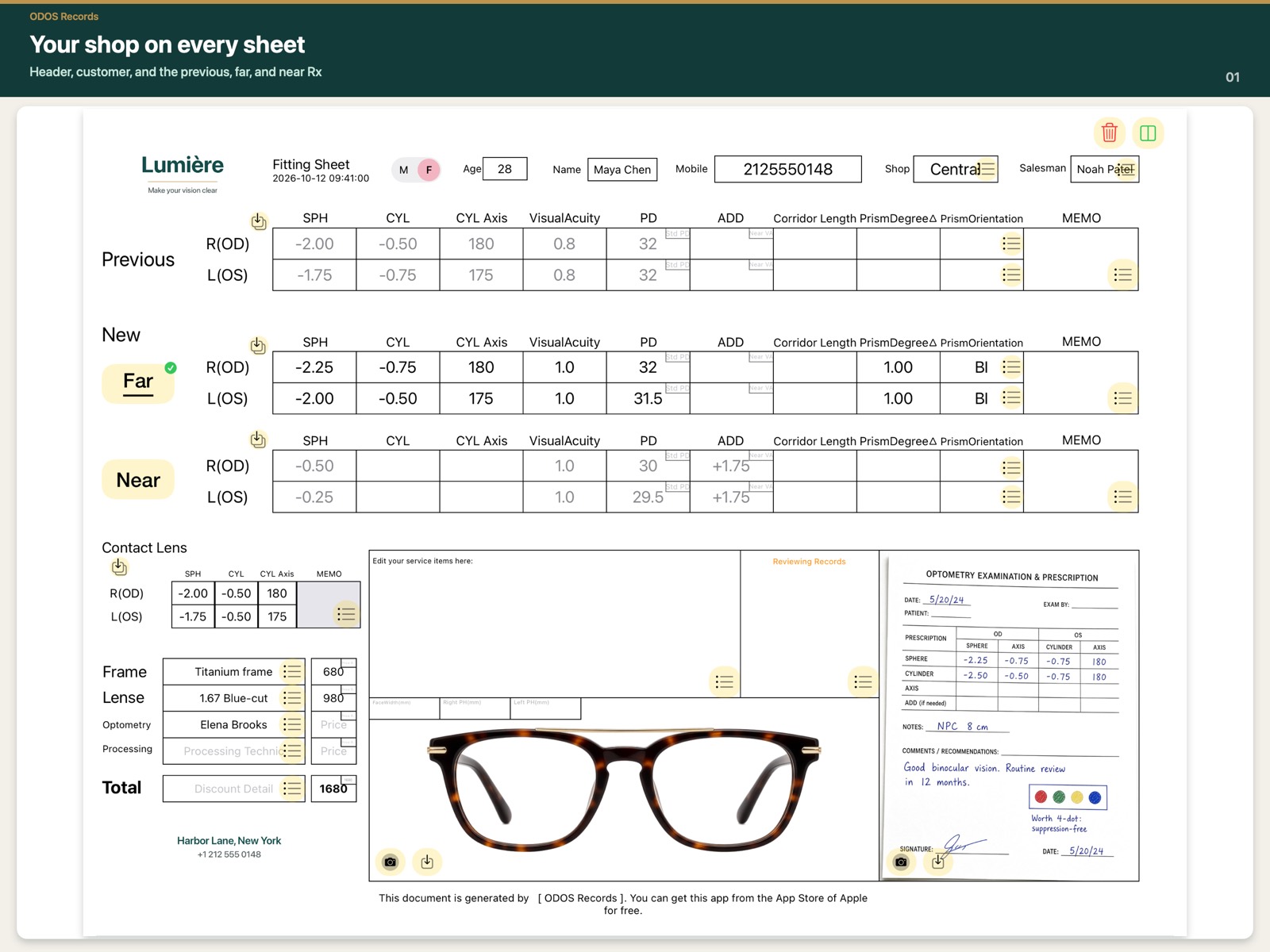
Tap a field, then use the floating number pad. You can drag it or fold it away. Type 225 in sphere and it becomes −2.25 when the field loses focus. Tap + or − to flip the sign. Copy the previous glasses into far or near, or copy MPMVA into both.
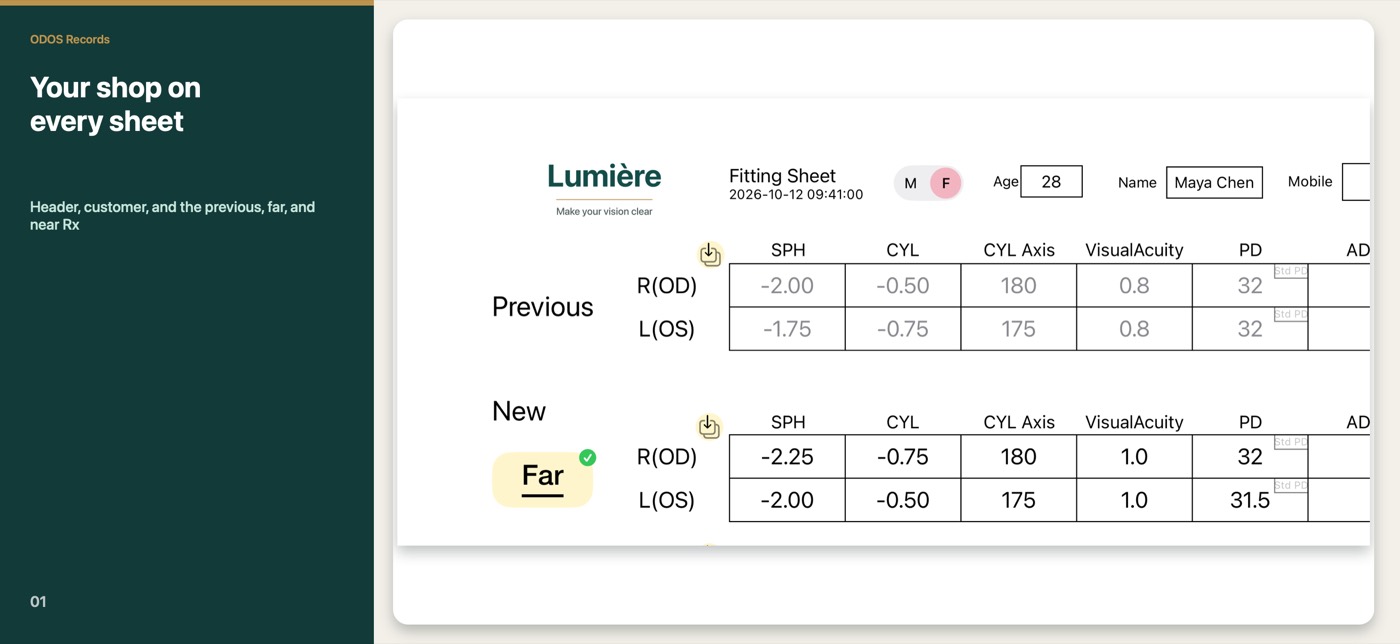
The sheet holds the customer name, mobile, frame, lenses, and prices, plus the Rx for previous glasses, distance, near, and contact lenses. Put a frame photo on the page. Open the visual-function page for phoria, accommodation (BCC, NRA, PRA, AA), flipper, cover tests, AC/A, MPMVA, Worth 4 Dot, fusional ranges (BI and BO), NPC, and notes.
With an external keyboard, hold Tab and press an arrow key to move to the nearest field. Labels can be rewritten in the UI Editor, and the interface can follow the system language or stay on one of 19 languages you choose.
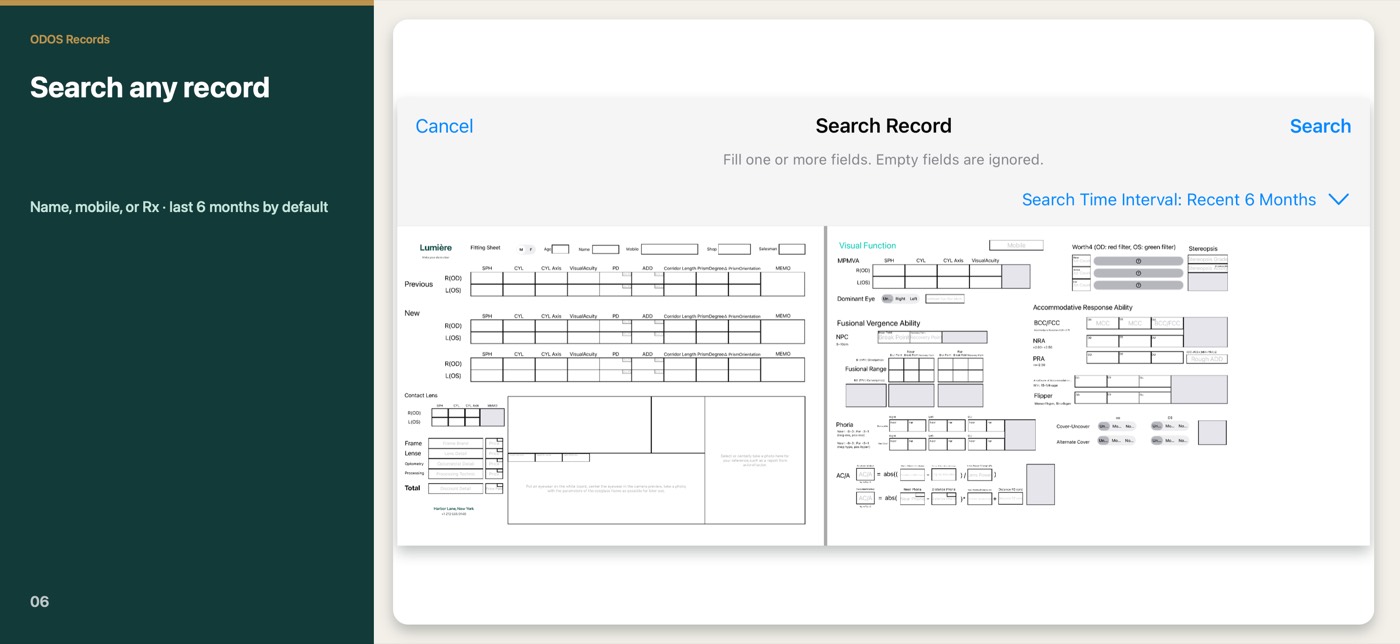
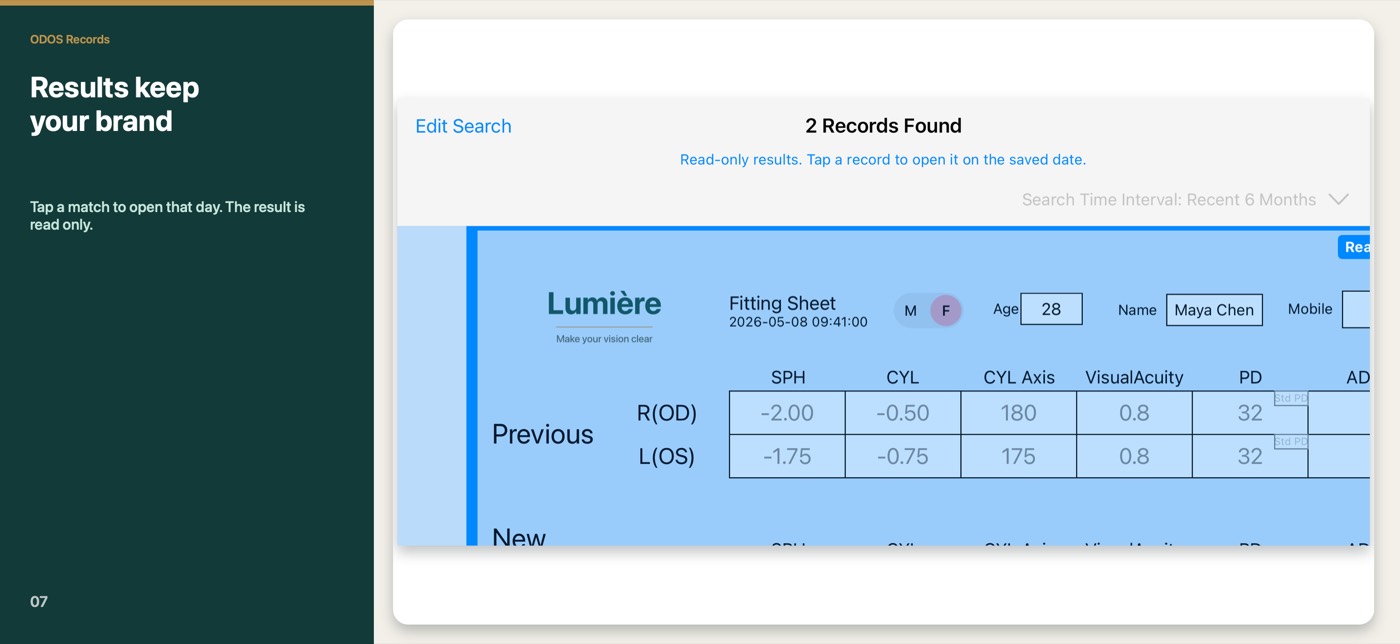
Open Settings, then Search Record. Fill one field or several: name, mobile, sphere, or anything else on the sheet. The time interval starts at the last 6 months. You can switch it to the last year, every date, or a month range you set. Tap a result to open that day. Search results keep your shop header, the contact card, and the frame photo.
Long-press the shop header or the contact card to replace them with your own images. Save Record writes a print-ready image to Photos, which you can find again by customer name or mobile. Save Lenses keeps a lens setup for the next pair. New and Duplicate open or copy a sheet in one tap.
A number pad that stays up while you type. 225 becomes −2.25. The sign flips with one tap.
The shop name and contact card are yours. They stay on the sheet, including in search results.
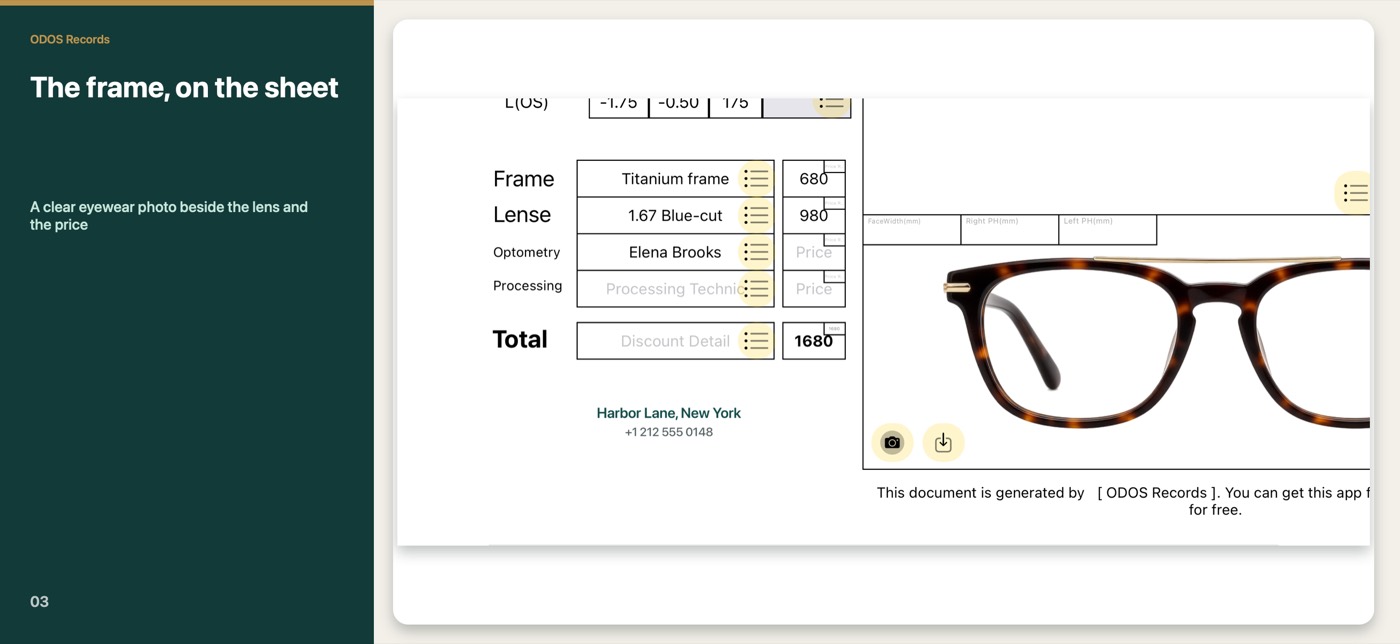
Place the frame next to the lens choice and the price, so the printed sheet shows the pair.
Name, mobile, sphere, or any other field. Last 6 months by default, or a range you choose.
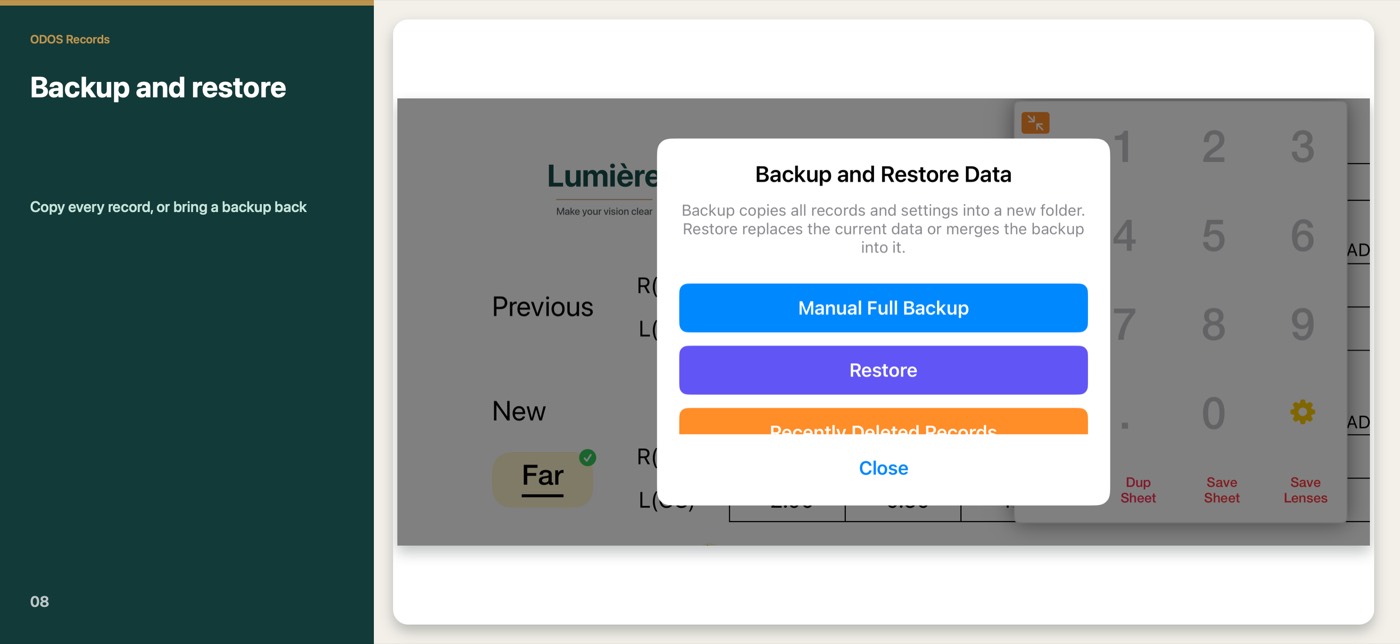
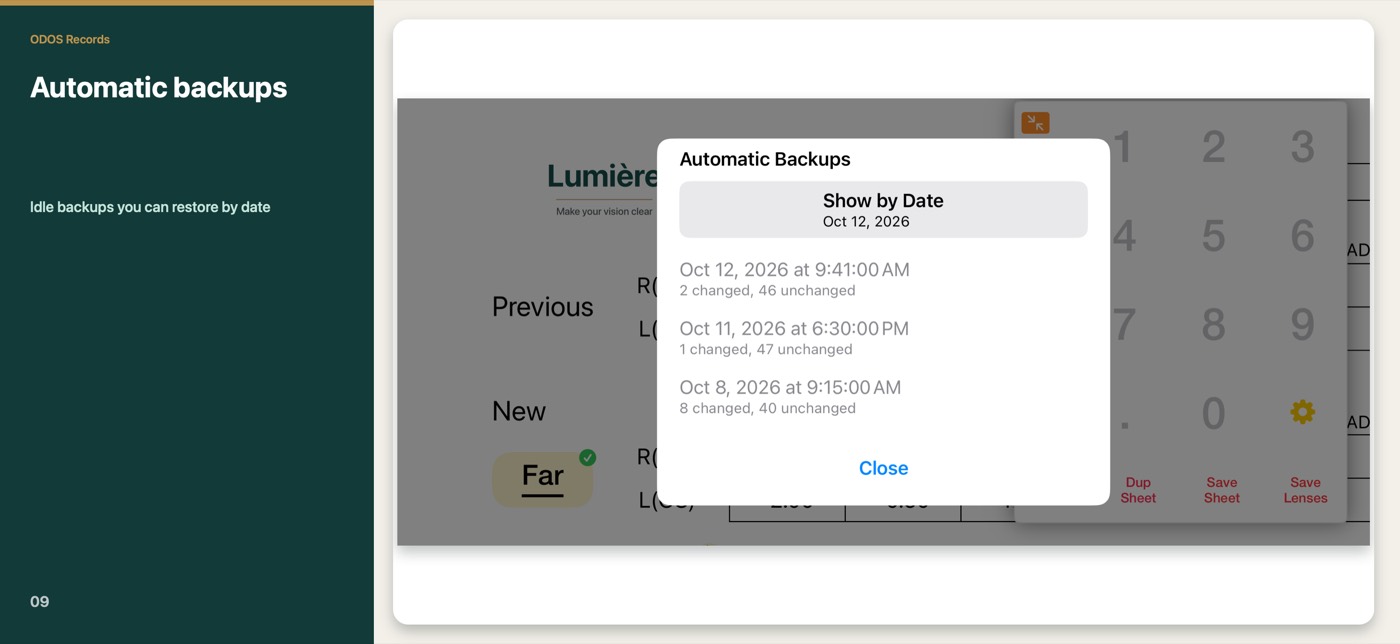
Manual backup, restore, recently deleted records, and automatic backups you can open by date.
Save a print-ready image to Photos. An optional purchase removes the advertisement on that image.
What’s new in 3.1
Updated .
The interface ships in 19 languages, or it can follow the language of the iPhone or iPad. Sheet labels can be edited on their own, separate from that choice.
Fitting sheets are stored on the iPhone or iPad. Back up the Optometry Settings folder with Finder file sharing, or rely on an iCloud backup of the whole device. To restore, put that folder back into the app.
Co-work sends the open sheet to a nearby iPhone or iPad you connect. A reminder stays on the device: a notification from ODOS Records, or an entry in the iOS Reminders app. This website does not receive the sheets. Read the privacy notes.
ODOS Records is a fitting-sheet app for opticians, optometrists, and optical shops. It keeps the customer, the frame, the lenses, and the prescription on iPhone and iPad.
ODOS Records is free on the App Store for iPhone and iPad. The Apple ID is 6744243081.
Fitting sheets stay on the device. Back up the Optometry Settings folder with Finder file sharing, or use your own iCloud device backup. Co-work sends the open sheet only to a nearby iPhone or iPad you connect.
Version 3.1 adds co-work with a nearby device and reminders for a record. Reminders can be a notification from the app or an item in the iOS Reminders app.
The app is free. An optional in-app purchase removes the advertisement on exported sheet images.
Free on the App Store. Apple ID 6744243081. Questions go to support@MiniArtSoft.com.